
A Complete Beginner's Guide to Using OKX and Binance Exchanges: Step-by-Step Setup and Trading

For anyone entering the world of cryptocurrency, the two most common platforms you will encounter are Binance and OKX. Both are global leaders in digital asset trading, offering a vast array of coins, trading pairs, and advanced features. However, if you are a beginner, the interface can seem overwhelming. This guide breaks down exactly how to use Binance and OKX, from account creation to executing your first trade, with a focus on practical steps.
1. Account Registration and Security Setup
The first step for either Binance or OKX is to visit the official website or download the mobile app. Both platforms require email registration and identity verification (KYC) to unlock full withdrawal limits and trading features. Once registered, your immediate priority must be security. Enable two-factor authentication (2FA) using Google Authenticator or a hardware key. Avoid using SMS 2FA as it is less secure against SIM swapping attacks. Both platforms also provide an anti-phishing code feature; enable this to ensure emails you receive are genuine.
2. Depositing Funds: Fiat and Crypto
To start trading, you need to deposit funds. On Binance, navigate to "Wallet" > "Fiat and Spot" and click "Deposit." If you are depositing fiat currency (like USD or EUR), you can use a bank transfer, credit/debit card, or third-party payment processors like Simplex. OKX offers similar fiat on-ramps. For crypto deposits, simply copy the deposit address for the specific coin (e.g., USDT on the ERC-20 network) and send from your external wallet. Always double-check the network type; sending on the wrong network may result in lost funds.
3. Spot Trading: The Core Function
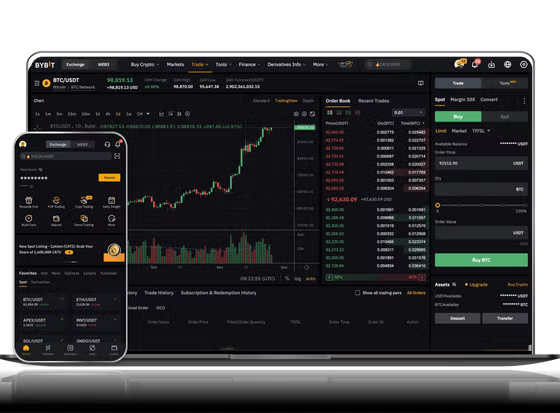
Both exchanges offer a "Spot" trading interface. To trade on Binance, click "Trade" > "Classic" or "Advanced." The advanced view shows a depth chart, order book, and trading pairs. To buy Bitcoin (BTC) with USDT, select the BTC/USDT pair. You can place a market order (buys instantly at current price) or a limit order (sets a specific price). OKX’s interface is very similar, located under "Trade" > "Basic" or "Pro." For beginners, start with market orders to understand the liquidity and spread. Remember to never use leverage when you are new.
4. Key Differences Between OKX and Binance
While both are robust, there are differences. Binance generally boasts the highest liquidity and the most extensive list of altcoins. Its Earn section offers flexible savings, staking, and Launchpad for new token offerings. OKX, on the other hand, has a slightly cleaner interface for derivatives (futures and options) and is known for its "Jumpstart" staking platform. For a beginner, Binance might be easier due to its larger educational library (Binance Academy). However, OKX offers a useful "Copy Trading" feature where you can automatically mirror the trades of experienced investors, which is excellent for learning without active management.
5. Withdrawals and Security Best Practices
When you are ready to move your funds off the exchange, go to "Withdraw" on either platform. Enter the external wallet address and the exact amount. Both platforms have a withdrawal fee and a minimum withdrawal amount. Be aware that exchanges are targets for hackers; you should never keep all your assets on an exchange for long periods. Only keep what you need for trading. Use a hardware wallet (like Ledger or Trezor) for long-term storage. Both OKX and Binance also offer "Withdrawal Whitelist" addresses—only allow transfers to addresses you have pre-approved, adding another layer of security.
6. Troubleshooting Common Issues
New users often face delays due to network congestion or incorrect address formats. If a deposit does not show up, check the transaction on a blockchain explorer (like Etherscan). If it is confirmed but not in your account, contact support. Both exchanges have 24/7 live chat, but response times can be slower during market volatility. Avoid clicking on ads in search results; only use the official URLs: binance.com and okx.com. Scammers often create fake login pages. Bookmark the official sites from the start.
In summary, both OKX and Binance are powerful tools for anyone entering crypto. Start with spot trading, prioritize security, and use the "testnet" or "demo" accounts available on both platforms to practice without risking real money. Once you feel comfortable, you can explore staking, DeFi offerings, or even the peer-to-peer (P2P) trading zones for localized fiat exchanges. The key is to move slowly, verify every transaction, and never invest more than you are willing to lose.


发表评论